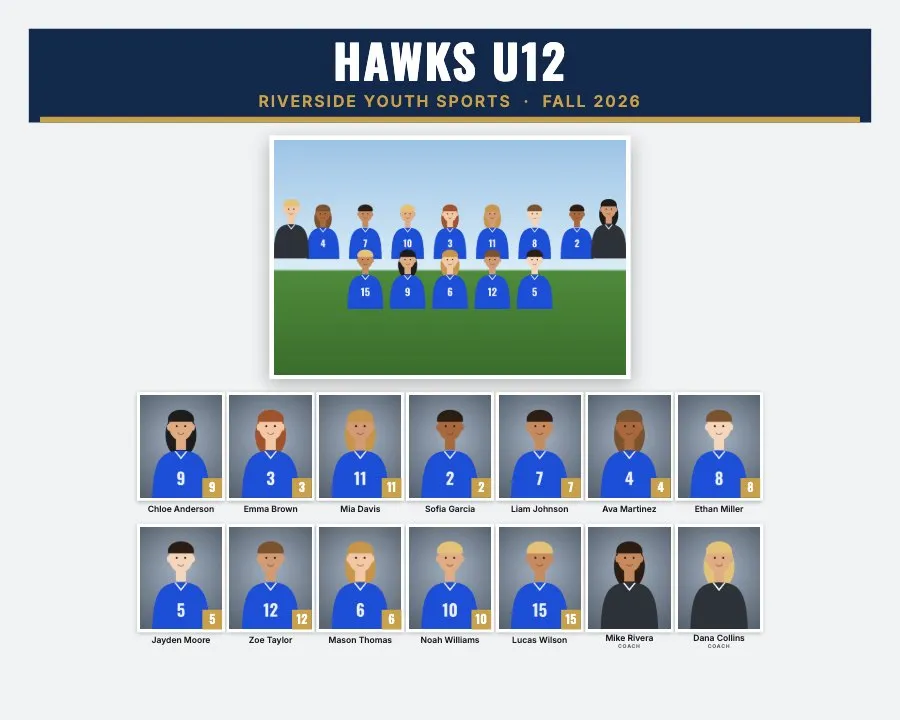
Team composite
10×8 · 8×10 · 14×11 · 11×14 · 7×5 · 5×7 · 300 dpi
The team photo plus every player's headshot, name and number on one print.
Composite guideBatch composite software
Drop one folder of headshots per team. Get print-ready composites, memory mates and trading cards for every team at once.
No signup · No uploads · Free during beta
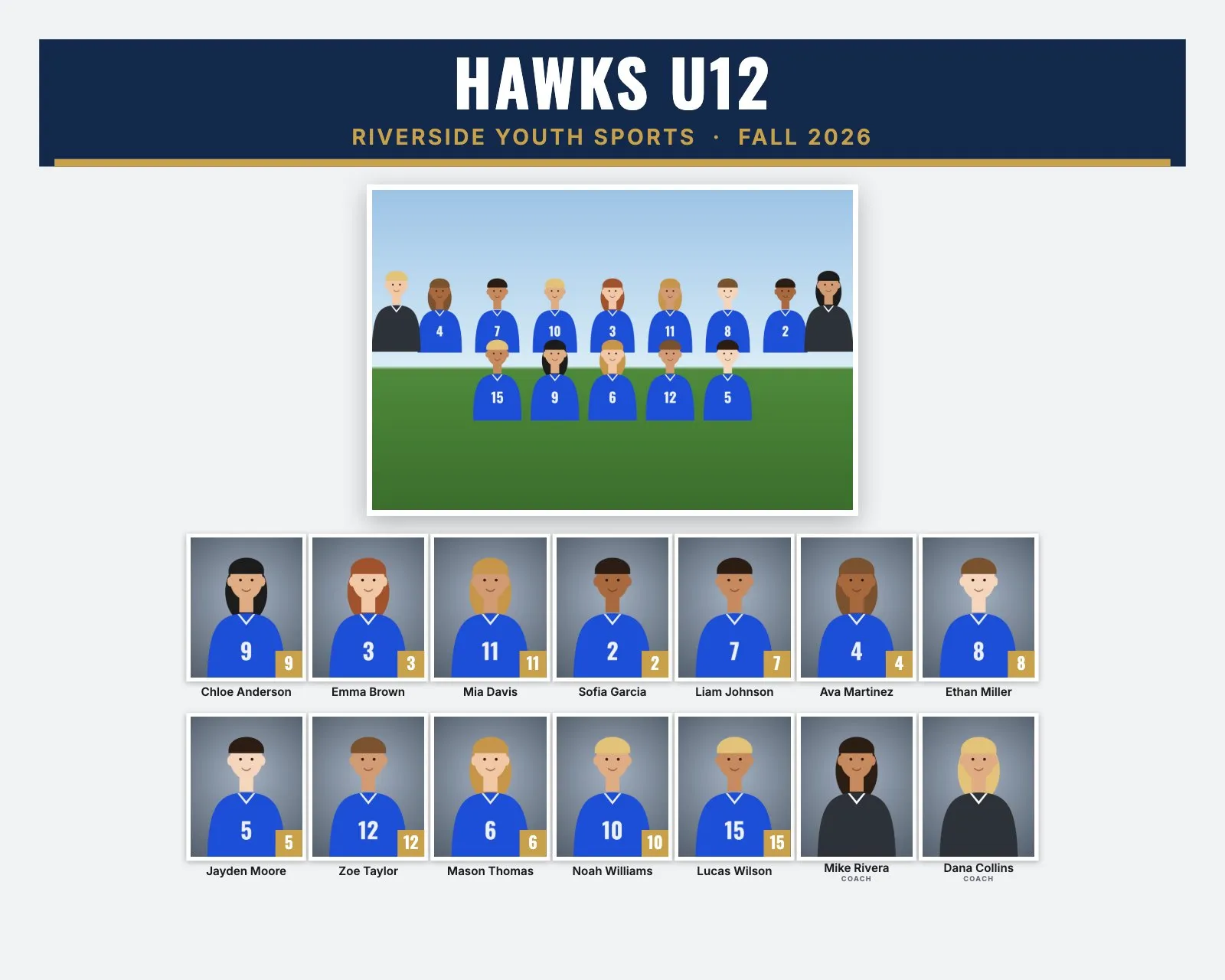
Outputs
Everything you sell on picture day, laid out for every team and every player in one export.
10×8 · 8×10 · 14×11 · 11×14 · 7×5 · 5×7 · 300 dpi
The team photo plus every player's headshot, name and number on one print.
Composite guide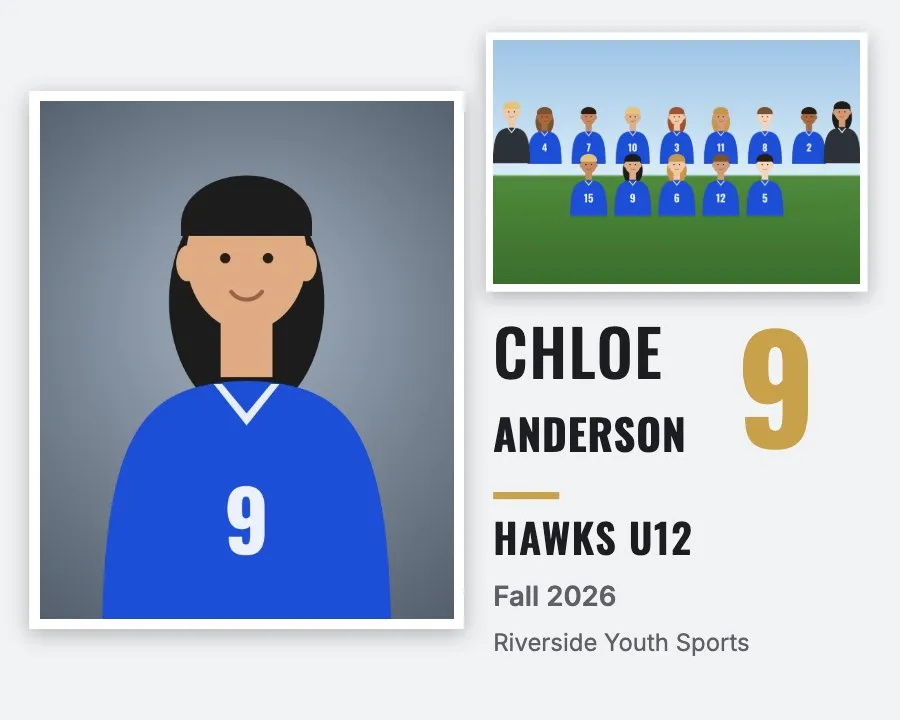
10×8 · 7×5 side by side · 8×10 · 5×7 card · 300 dpi
One player's portrait next to the team photo, with name, number and season.
Memory mate guide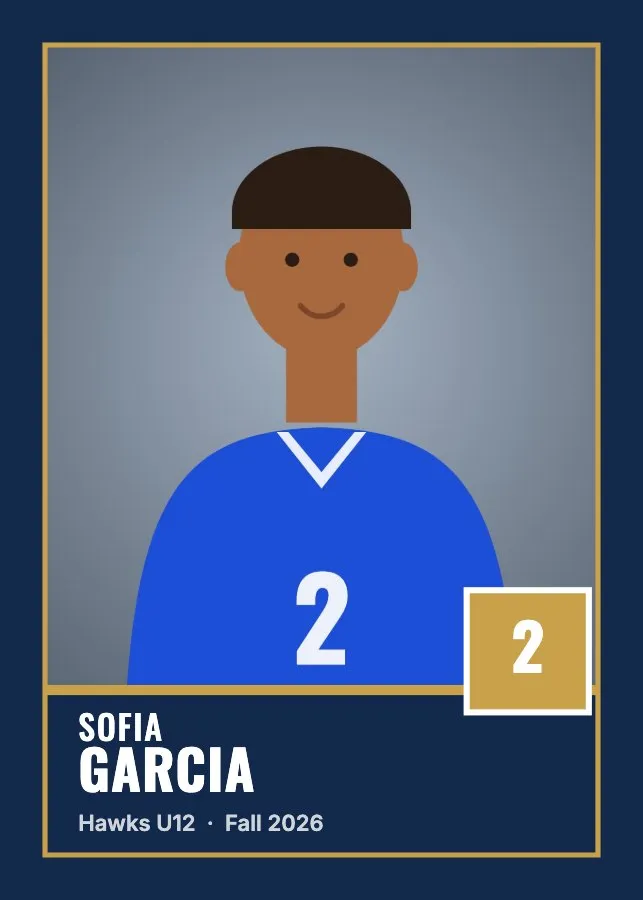
2.5×3.5 in · optional 1/16″ bleed · 300 dpi
A card for every player, with name plate, number badge and team colors.
Trading card guide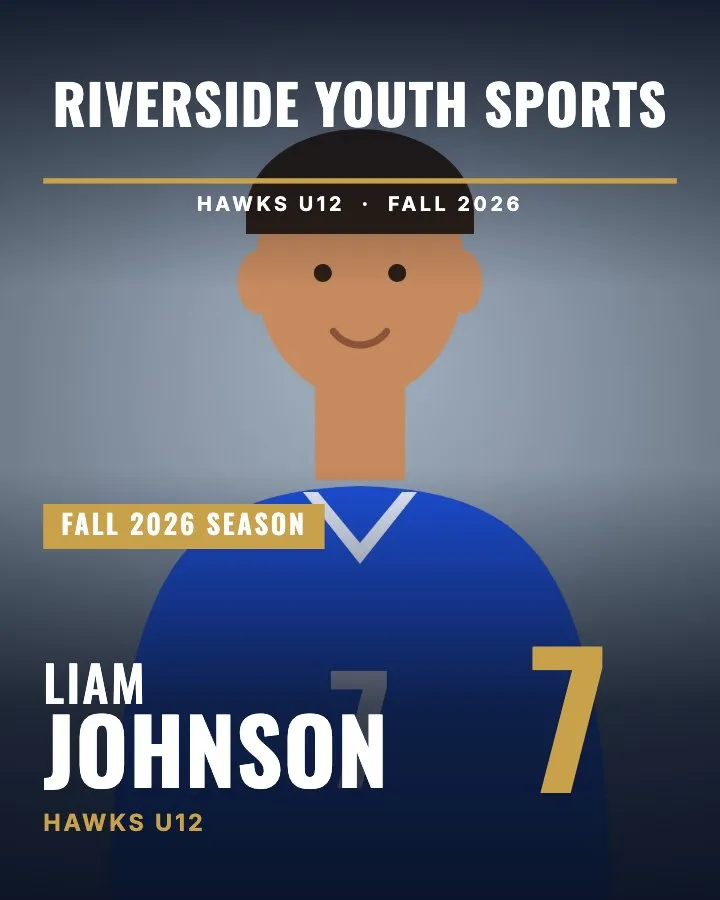
8×10 in · 300 dpi
A full-size portrait under a masthead, with big name and number.
Magazine cover guide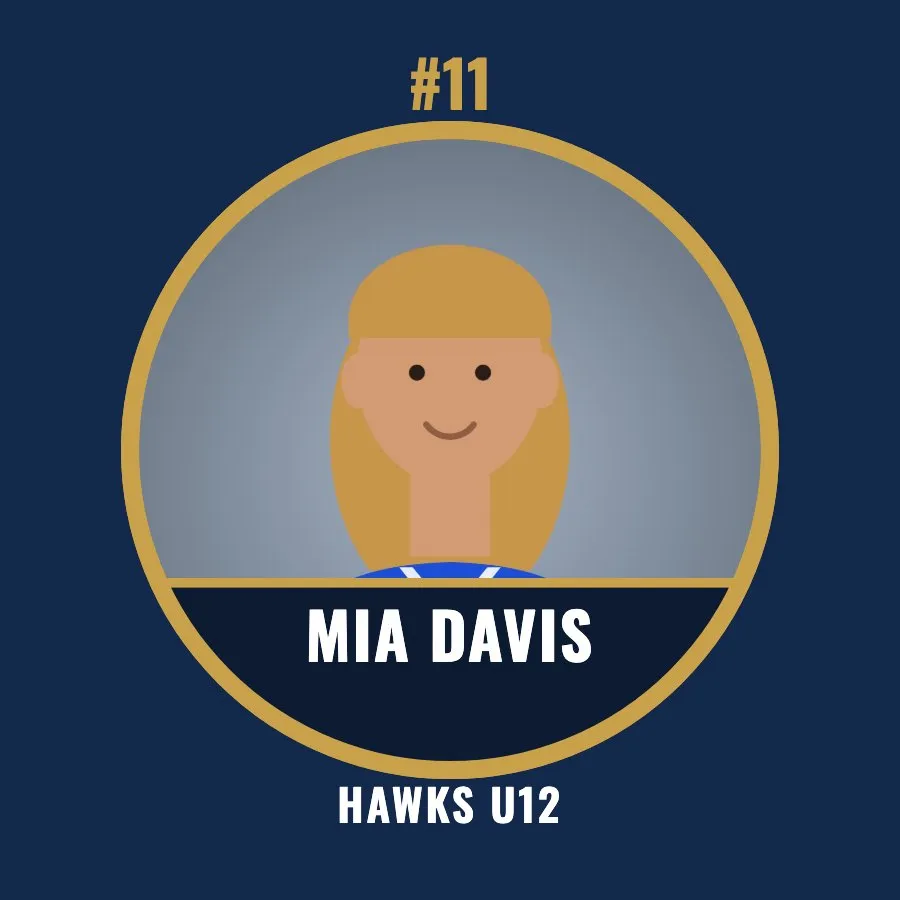
2.25″ · 3″ + 3/16″ wrap · 300 dpi
Round portrait buttons with name and number, sized to wrap the button edge.
Photo button guide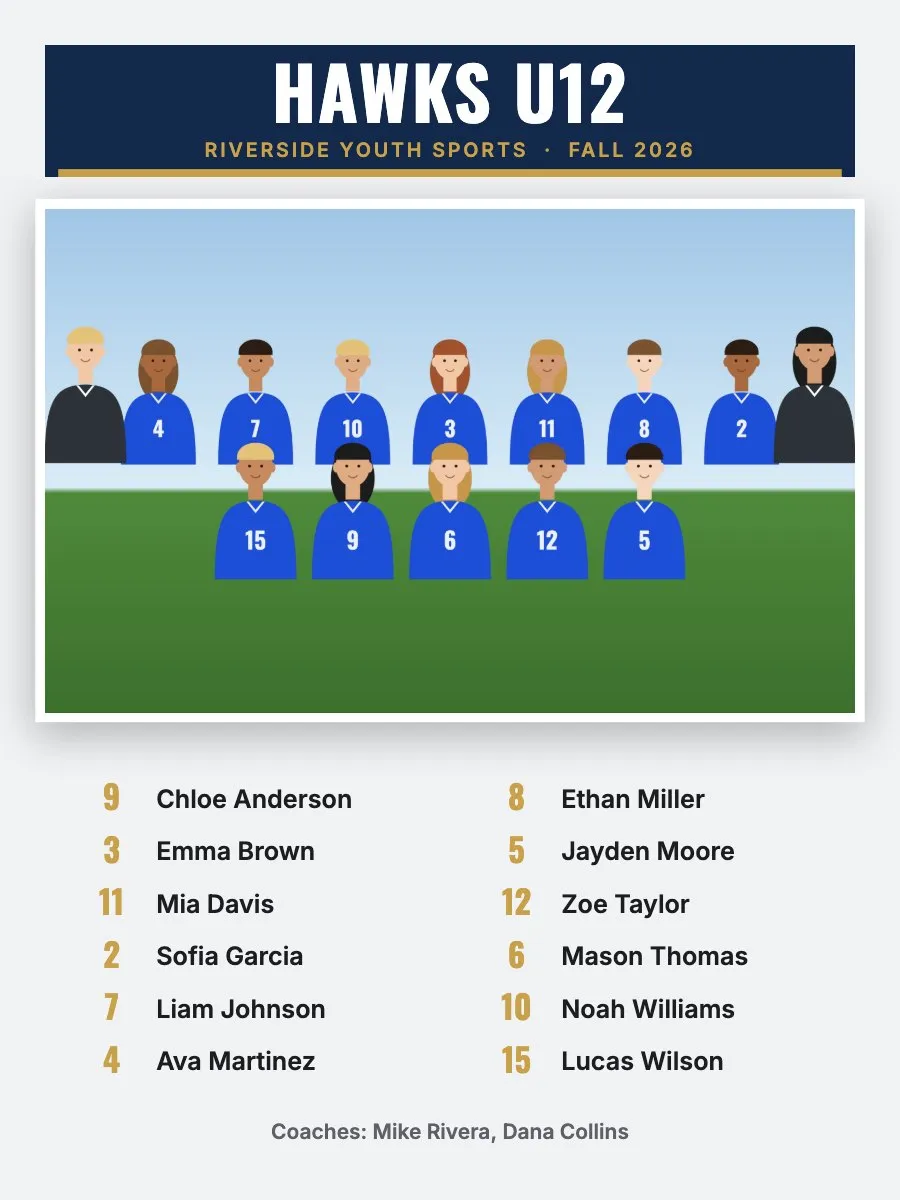
18×24 in · 150 dpi
A big team photo with the full roster, numbers and coaches.
Team poster guidePlus a name check sheet for every team, to send to coaches before you print.
The problem
The shoot is the easy part. The evening after it is where volume work goes slow.
Names and numbers are read from your file names or roster CSV.
A name check sheet goes to the coach before anything is printed.
Pick a style once. Every team is laid out to fit its roster.
Nothing to upload. Your photos are processed on your computer.
How it works
Organize the way you already do. RosterFrame does the layout work.
A file called Team.jpg becomes the team photo.
From file names or your roster spreadsheet. Fix anything by hand.
Every product for every team, sorted into folders for your lab.
Download the roster CSV template · How to create a team roster for picture day
Demo · 0:22
Three teams go in as folders. Names and numbers are read from the file names, every composite and memory mate is laid out, and 44 print files come out ready for the lab.
No signup · No uploads · Free during beta
Styles
Pick a look once and it applies to every team. Layouts adapt to the roster, from a 6-player basketball team to a 30-player football squad.
Team colors, league logo, background picture, rows, player order and an extra line like "Champions" are all yours to set. "Match jersey colors" picks the colors from your headshots.
Spec sheet
| Input | One folder of JPEG headshots per team, plus an optional roster CSV |
|---|---|
| Naming | Names and jersey numbers from file names like Ava_Martinez_4.jpg or from the CSV. "Coach" or "Teacher" in a file name labels staff. |
| Output | Team composites, memory mates, trading cards, magazine covers, photo buttons, team posters, team banners, name check sheets |
| Files | sRGB JPEG with the resolution written into the file, one folder per team |
| Resolution | 300 dpi at standard lab sizes (posters 150 dpi) |
| Browsers | Chrome, Edge and Safari on Mac and Windows. Chrome and Edge save straight into a folder; Safari downloads a ZIP. |
| Privacy | Processed in your browser. Nothing is uploaded. |
| Account | None |
| Price | Free during beta |
Local-only guarantee
RosterFrame has no upload server. Your folders are read and rendered inside your browser, on your machine. You're handling photos of kids, so keeping them local means there's nothing to leak.
Built for
Composites and memory mates for every team on picture day.
Composite guideClass and team composites, with teachers labeled as Teacher.
Class compositesTrading cards, magazine covers and posters for every player.
Trading cardsComposites without jersey numbers, sorted by name.
Teams without numbersBy sport: Baseball · Softball · Soccer · Basketball · Football · Volleyball · Hockey · Lacrosse · Cheer, dance & swim
Compare
| RosterFrame | PSD templates | Desktop composite software | Outsourced service | |
|---|---|---|---|---|
| Install needed | No | Photoshop | Yes | No |
| Account needed | No | No | Usually a license | Yes |
| Whole league in one run | Yes | No, one file at a time | Often one team at a time | Yes, they do it |
| Names typed by hand | No | Yes | Often | You send a list |
| Photos sent to someone else | No | No | No | Yes |
| Turnaround | Minutes | Hours | Hours | Days |
| Cost | Free during beta | Per template | Yearly license | Per graphic |
Pixnub, Team Photo Composite, QMate and more by name: team composite and memory mate software compared
Pricing
Every product, every size, no watermark. After the beta, a one-time Pro license is planned. Everything you export during the beta stays yours.
No signup · No uploads · Free during beta
Guides
Problems we solve: creating a team roster for picture day, naming photos so names fill in, making a composite without Photoshop, pricing composites and memory mates, memory mate vs. team composite, print sizes and pixels, and how RosterFrame compares with Photoshop templates and Canva.
FAQ
No. RosterFrame runs entirely in your browser. Photos are stored on your own computer and never sent anywhere.
Either from file names (Ava_Martinez_4.jpg, Martinez, Ava.jpg and 4 - Ava Martinez.jpg all work) or from a roster spreadsheet saved as CSV with a "File" column. You can also type or fix any name by hand.
A memory mate is one print made for one player, usually 8×10 or 5×7: the player's portrait next to the team photo, with name, number, team and season. RosterFrame makes one for every player on every team at once. See the memory mate maker.
Composites in 10×8, 8×10, 14×11, 11×14, 7×5 and 5×7, plus 16×20 and 20×24 for the wall. Memory mates in 10×8 and 7×5 side by side, or 8×10 and 5×7 as a player card. Trading cards are 2.5×3.5 with optional bleed, magazine covers 8×10, buttons 2.25″ or 3″, posters 16×20, 18×24 or 20×24, and team banners 2×3 ft or 3×6 ft. All files are sRGB JPEGs at 300 dpi, except the big ones: 16×20 composites at 200 dpi, 20×24 composites and posters at 150 dpi, and banners at 150 or 100 dpi.
Click "Name check sheet" in the roster. You get a page with every photo, name and number for the team. Send it to the coach, who ticks each name or writes corrections, before you print.
Any lab that prints standard JPEG files. Exports are sRGB JPEGs at the usual lab sizes with the resolution written into the file. Check your lab's specs for bleed on cards and buttons.
Put "Coach" or "Teacher" in the file name and they're labeled as staff on every product. For dance, cheer and swim, turn off jersey numbers and sort by name.
A full league works fine. A 200-player league with 15 teams exports in a few minutes on a normal laptop. Chrome and Edge can save straight into a folder; Safari downloads a ZIP.
Yes. RosterFrame runs in Chrome, Edge or Safari on Mac and on Windows. There is nothing to install and no signup.
Yes. It runs in Chrome, Edge or Safari on any Mac or Windows computer. Your jobs are saved in the browser on each computer you use.
RosterFrame is in beta. Free use helps find what photographers need before the paid version. There's no catch: no signup, no data collected from your photos.
A one-time Pro license is planned. You'll see the price on this page well before the beta ends, and everything you've already exported stays yours.
No. RosterFrame makes the print files. What you charge and where you print is up to you.
Not during the beta. Every export is clean and print-ready.
Who's behind it
RosterFrame is built and supported by Jakob, an independent developer in Germany, for US volume sports and school photographers. Questions, bugs or ideas go straight to me: jakob@rosterframe.com.
No signup · No uploads · Free during beta