RosterFrame › Guides
Memory mates: sizes, layouts and a faster workflow
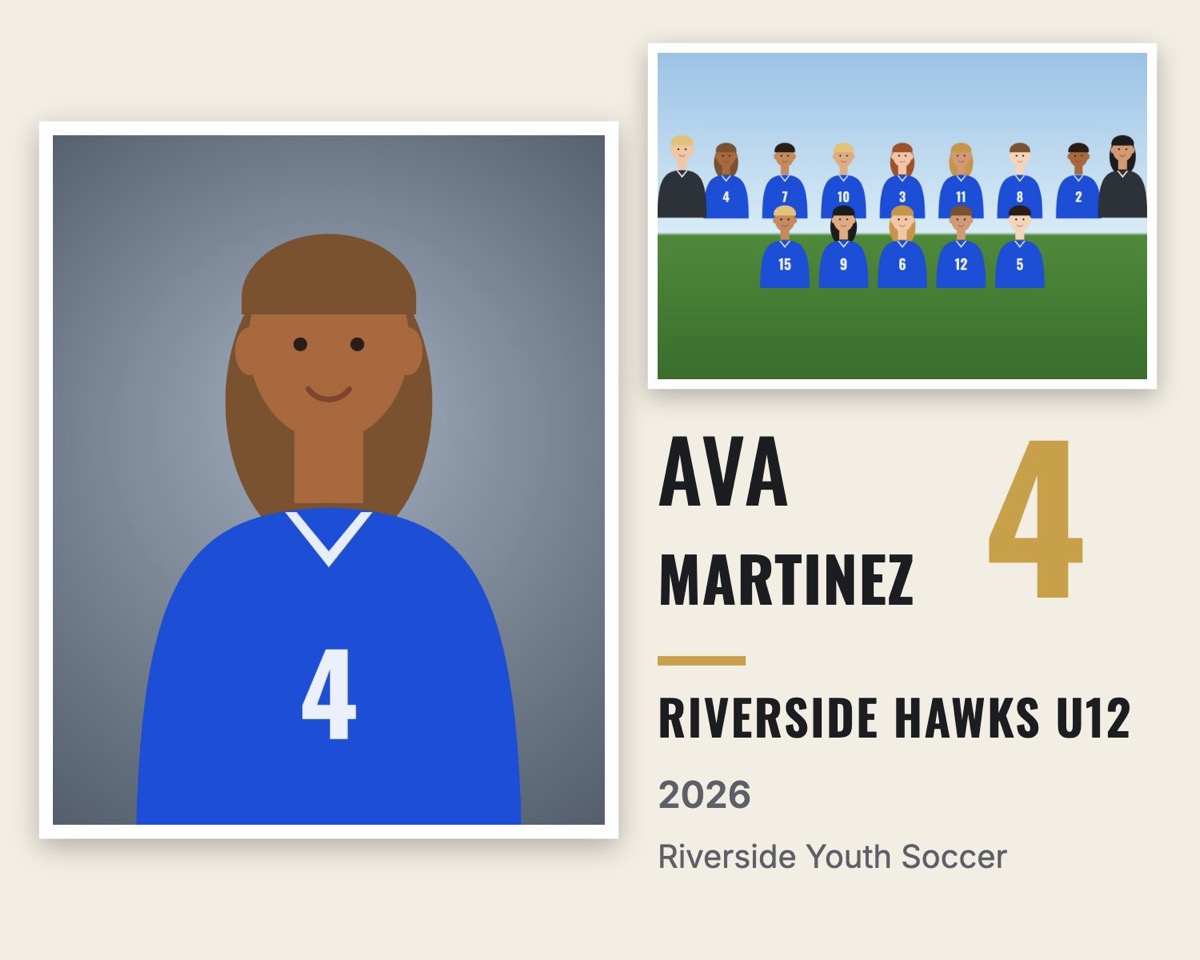
A memory mate combines a player's individual portrait with the team photo on one print, plus the player's name, number, team and season. Parents love them, and they're one of the best-selling items in youth sports packages. The catch: every player needs their own file, and filling in a template for each kid is slow.
Common memory mate sizes
| Size | Layout | Pixels at 300 dpi |
|---|---|---|
| 10 × 8" landscape | Portrait left, team photo right | 3000 × 2400 |
| 7 × 5" landscape | Same, smaller package | 2100 × 1500 |
| 8 × 10" portrait | Player card: big portrait, name banner, team photo inset | 2400 × 3000 |
| 5 × 7" portrait | Player card, smaller package | 1500 × 2100 |
Two layouts that sell
- Side by side is the classic memory mate: a large portrait on the left, the team photo top right, and the name and number underneath.
- Player card looks like a trading card: a big portrait with a name banner, jersey number badge and the team photo as an inset.
A faster workflow
- Export headshots into one folder per team, with the team photo named
Team.jpg. - Drop the folders into RosterFrame. Names and numbers come from file names or a roster CSV.
- Choose the layout, size, team colors and logo once. They apply to every player.
- Click Export. RosterFrame creates one memory mate per player, named like
Martinez_Ava_4 - Memory Mate.jpg, in a folder per team, ready for the lab.
A league of 200 players takes a few minutes instead of an evening. You can preview any player before exporting and fix a name or crop in seconds.
Print tips
- Export at 300 dpi in sRGB, which most labs expect for photo prints.
- Keep important text away from the very edge in case your lab trims slightly.
- Offer memory mates together with the team composite. They sell best as a pair.
Try it with your own photos. Free, no signup, runs in your browser. Your photos never leave your computer.
Open RosterFrame