What size is a photo button file?
A button file is bigger than the button face, because part of the picture wraps around the edge of the button shell. RosterFrame adds 3/16" on every side: a 2.25" button needs a 2.625 × 2.625" file, and a 3" button needs a 3.375 × 3.375" file. The portrait and the name stay inside the face, and only the team-color ring runs into the wrap.
| Button sizes | 2.25" or 3" face, chosen for the whole job |
|---|---|
| Wrap | 3/16" on every side, built into the file |
| File size | 2.25" button: 2.625 × 2.625" = 788 × 788 pixels. 3" button: 3.375 × 3.375" = 1013 × 1013 pixels. |
| Format | JPEG (quality 93), sRGB, 300 dpi set in the file |
| File names | Martinez_Ava_4 - Button.jpg, one per person with a photo, in a folder per team |
Button presses and labs use different templates, so check your lab's or machine's template before the first print run. If it asks for a different wrap, tell me at jakob@rosterframe.com.
What's on each button?
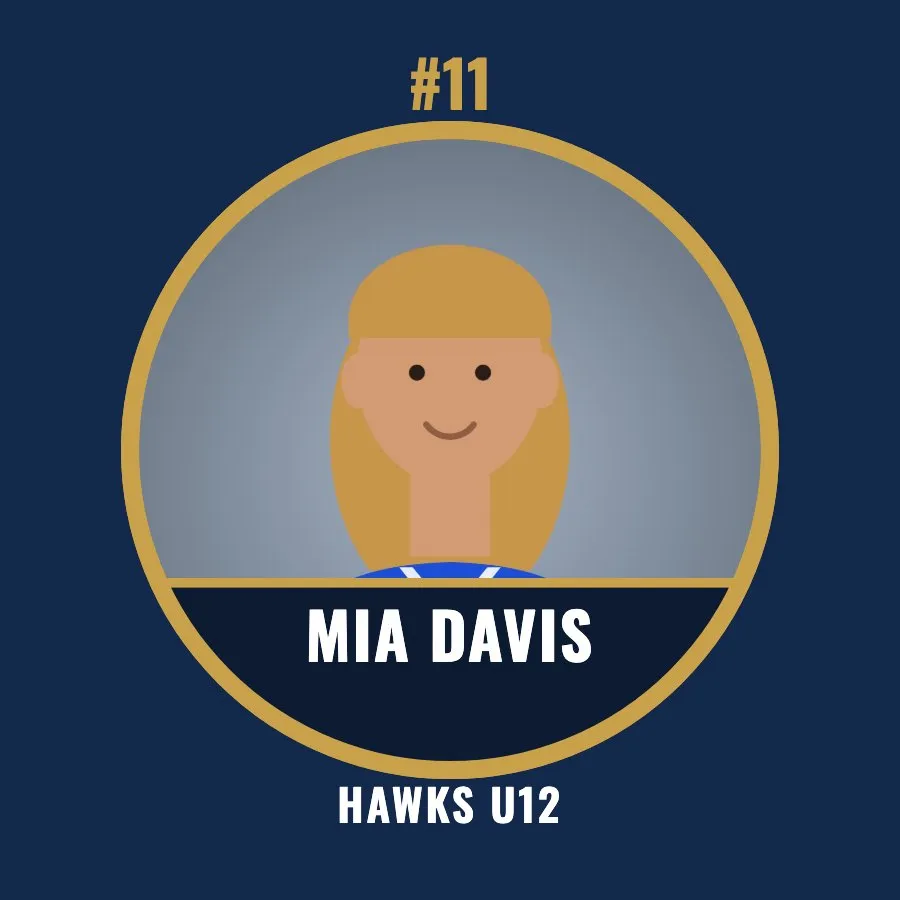
Each button shows the player's portrait in a circle with a ring in the accent color, the name on a dark band across the bottom of the portrait, the jersey number at the top of the ring and the team name at the bottom. The background is the team's main color. Coaches get a button too, labeled Coach (or Manager, Staff, Teacher or Instructor) instead of a number.
- The portrait uses the same framing you set for the team composite, so a crop you fix once is fixed everywhere.
- Team colors come from the 8 presets, any hex code, or "Match jersey colors".
- Turn jersey numbers off for teams without numbers, like dance, cheer and swim.
How do I make buttons for a whole team or league?
- Put each team's headshots in a folder, named like
Ava_Martinez_4.jpg(see file naming), and drop the folders into RosterFrame. - Open the More products tab, pick Button and choose 2.25" or 3".
- Click Export and tick Buttons. You get one button file per person, in a folder per team, for every team you select.
Each button is its own file. RosterFrame doesn't arrange several buttons on one print sheet, so use your press software or lab's layout for that.
Should I sell 2.25" or 3" buttons?
Use the size your button press or lab makes. A 3" button shows a bigger face and a bigger name; a 2.25" button is smaller and lighter on a bag or jacket. Both come from the same photos, so you can switch sizes and export again in seconds. For pricing ideas, see how to price team composites and add-ons.
How this guide was made: written by Jakob, who builds RosterFrame. Print sizes and pixel counts were checked against the app's export settings; the example images were rendered in RosterFrame from sample photos. First published .
Try it with your own photos. Free during beta, no signup, runs in your browser. Your photos never leave your computer.
Open RosterFrameRelated guides
All guides on this topic: Memory mates & cards.