How to make a team composite without Photoshop
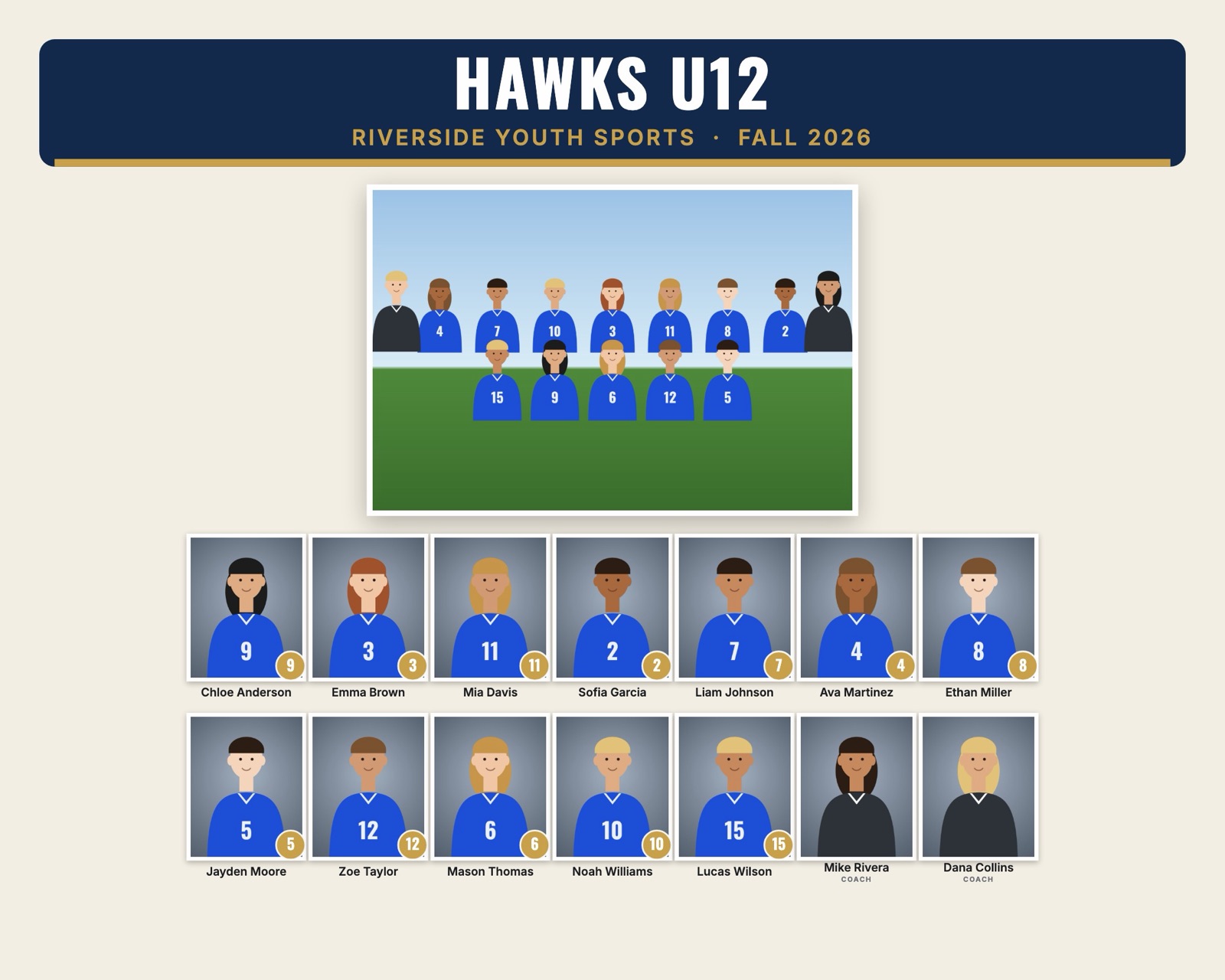
A team composite is the print with the team photo and every player's headshot, name and number. Photoshop with a PSD template is the traditional way to make one, but you don't need it. Here are four ways to do it without Photoshop, and when each one makes sense.
1. Canva or another online design tool
Start from a blank 10 × 8" design (3000 × 2400 pixels), add a banner with the team name, a frame for the team photo and a grid of frames for the headshots. Drag each photo into its frame and type each name.
- Good for: one or two teams, custom one-off designs.
- Watch out: make sure you download at full size as JPEG or PDF for print, and check that the team photo isn't upscaled.
2. A free photo editor (GIMP, Photopea, Affinity)
These work like Photoshop: layers, masks and text. Photopea even opens PSD templates in the browser. You still place and crop every headshot and type every name by hand.
- Good for: photographers who already own a PSD template and want to keep using it.
- Watch out: fonts in a PSD template may be missing and get replaced.
3. Your lab's built-in composite tool
Many professional labs offer composite or group templates in their ordering software. They are convenient if you print there anyway.
- Good for: studios that always print with the same lab.
- Watch out: you are tied to that lab, and you may not get the finished file to use elsewhere.
4. Automatic composite software
Instead of filling in a template, you give the software your photo folders and roster. It lays out every team, adds names and numbers, and exports print files. This is how volume sports studios handle leagues with hundreds of players.
RosterFrame is one of these tools, and it runs in your web browser:
- Make one folder per team with the headshots and a team photo named
Team.jpg. - Name the files like
Ava_Martinez_4.jpg, or add a roster CSV. Details in how to name sports photos. - Drop the league folder into RosterFrame, pick a style, colors and a logo.
- Export. Every team's composite comes out as a 300 dpi JPEG, ready for the lab.
Which way is fastest?
| Method | 1 team | A 15-team league | Cost |
|---|---|---|---|
| Canva | Fine | Very slow | Free or paid plan |
| GIMP / Photopea | Fine | Very slow | Free |
| Lab tool | Fine | Depends on the lab | Included with prints |
| RosterFrame | Minutes | Minutes | Free during beta |
Tips for any method
- Work at the final print size at 300 dpi from the start. Scaling up later looks soft.
- Use the same crop for every headshot so the faces line up in the grid.
- Proofread names against the official roster before printing.
- Keep text at least 1/8" away from the edges in case the lab trims.
Try it with your own photos. Free during beta, no signup, runs in your browser. Your photos never leave your computer.
Open RosterFrame