Basketball team composite template and memory mates
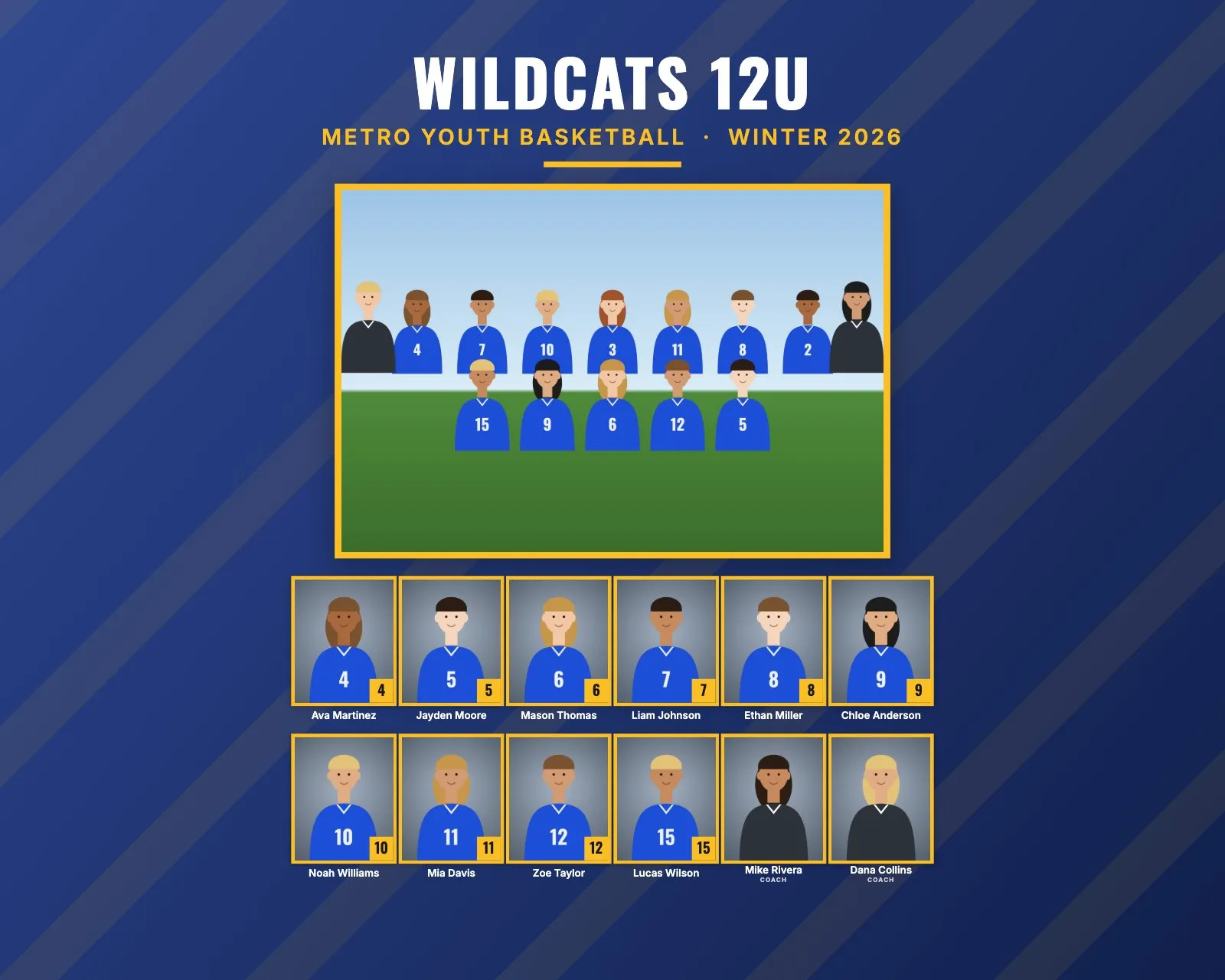
Basketball rosters are small: five players on the court and usually 8 to 12 on the team. A composite template made for a 15-player roster looks half empty with 9 players. And picture day happens in a gym, with mixed overhead light and players of very different heights. This guide covers layouts for small teams and how to handle the gym.
Basketball roster sizes and the layout
| Level | Typical roster | Good size and layout |
|---|---|---|
| Youth rec | 8 to 10 | 8 × 10" portrait: 9 to 11 people in 2 rows, headshots about 1.1" to 1.4" wide |
| Travel and club | 10 to 12 | 8 × 10" or 10 × 8": about 12 to 13 people in 2 or 3 rows, about 0.8" to 1.1" wide |
| High school | 12 to 15 | 10 × 8": up to about 17 people in 2 rows, about 0.9" wide, or 14 × 11" at about 1.25" |
Two even rows of headshots
A small team on a landscape print is the one case where the Rows setting really helps. With 10 people on 10 × 8", Automatic makes one long row of 10, because that gives the biggest faces (about 0.87" wide). Set Rows of headshots to 2 and you get two rows of 5, like two lineups, at about 0.8" wide. The faces are a little smaller but the print looks fuller.
If you'd rather keep the faces big, use 8 × 10" portrait. With 10 people, Automatic already gives two rows of 5 there, at about 1.36" wide. That's the biggest faces you'll get for a small team on an 8 × 10" or 10 × 8" print.
Jersey numbers or positions?
Numbers are part of the identity of a basketball player, and positions (guard, forward, center) are fuzzy at the youth level anyway. RosterFrame prints names and jersey numbers. Sort by jersey number for a program-style look. Numbers like 0 and 00 are read from file names as written.
Picture day tips for basketball
- Bring your own light. Gym lights are often uneven and can give skin a green or orange cast. Use flash or strobes and a custom white balance so the gym lights don't decide the color.
- Set up away from the court. A corner of the lobby or a hallway with a backdrop is quieter, and you avoid balls flying into your lights.
- Match the camera to each player's height. Teams can range from small guards to very tall forwards. Seat everyone on a posing stool, or raise and lower the camera to eye level, so every headshot has the same angle.
- Decide jerseys or shooting shirts. Sleeveless jerseys show a lot of shoulder. Some teams prefer warm-up shirts. Either way, keep it the same for the whole team.
- Watch the floor in the team photo. Shiny gym floors reflect flash. Raise your light or angle it so the reflection falls outside the frame.
- Team photo: tallest players standing in the back, the rest seated on a bench, a ball in front of the captain.
Memory mate and product ideas for basketball
- Magazine cover (8 × 10"): a sports-magazine look with a big portrait, the player's name and the season. It fits basketball's star-player feel.
- Team poster (18 × 24"): for the gym wall, the end-of-season banquet or senior night.
- Side-by-side memory mate: a portrait with the ball on the hip or spun on a finger, next to the team photo.
- Trading cards (2.5 × 3.5"): easy add-ons for youth teams.
How to make basketball composites in RosterFrame
- Make one folder per team, named like
Wildcats 12U, with the team photo asTeam.jpg. - Name headshots like
Noah_Williams_10.jpg, or use a roster CSV. Put "Coach" in coaches' file names. - Open RosterFrame and click "Choose team folders".
- On the Composite tab, pick a style. Bold looks good with strong team colors. Choose 8 × 10" for the biggest faces, or 10 × 8" with Rows of headshots set to 2.
- Click "Match jersey colors", then enter the league name and season, like Winter 2026.
- Set Order to "By jersey number".
- Check the Memory mates and More products tabs, send the coach the name check sheet, then export.
Every headshot gets the same crop, so faces line up across the grid. If one photo is off, open it from the roster and drag or zoom to fix just that one.
Recommended settings
| Style | Bold, or Classic for rec leagues |
|---|---|
| Print size | 8 × 10" portrait, or 10 × 8" for larger rosters |
| Rows of headshots | 2 for about 10 people on 10 × 8", otherwise Automatic |
| Order | By jersey number |
| Label for coaches and staff | Coach |
| More products | Magazine cover 8 × 10", team poster 18 × 24" |
Composite guides for other sports
Teams without jersey numbers? See dance, cheer and swim team composites. All guides are on the guides page.
Try it with your own photos. Free during beta, no signup, runs in your browser. Your photos never leave your computer.
Open RosterFrame