Softball team composite template and memory mates
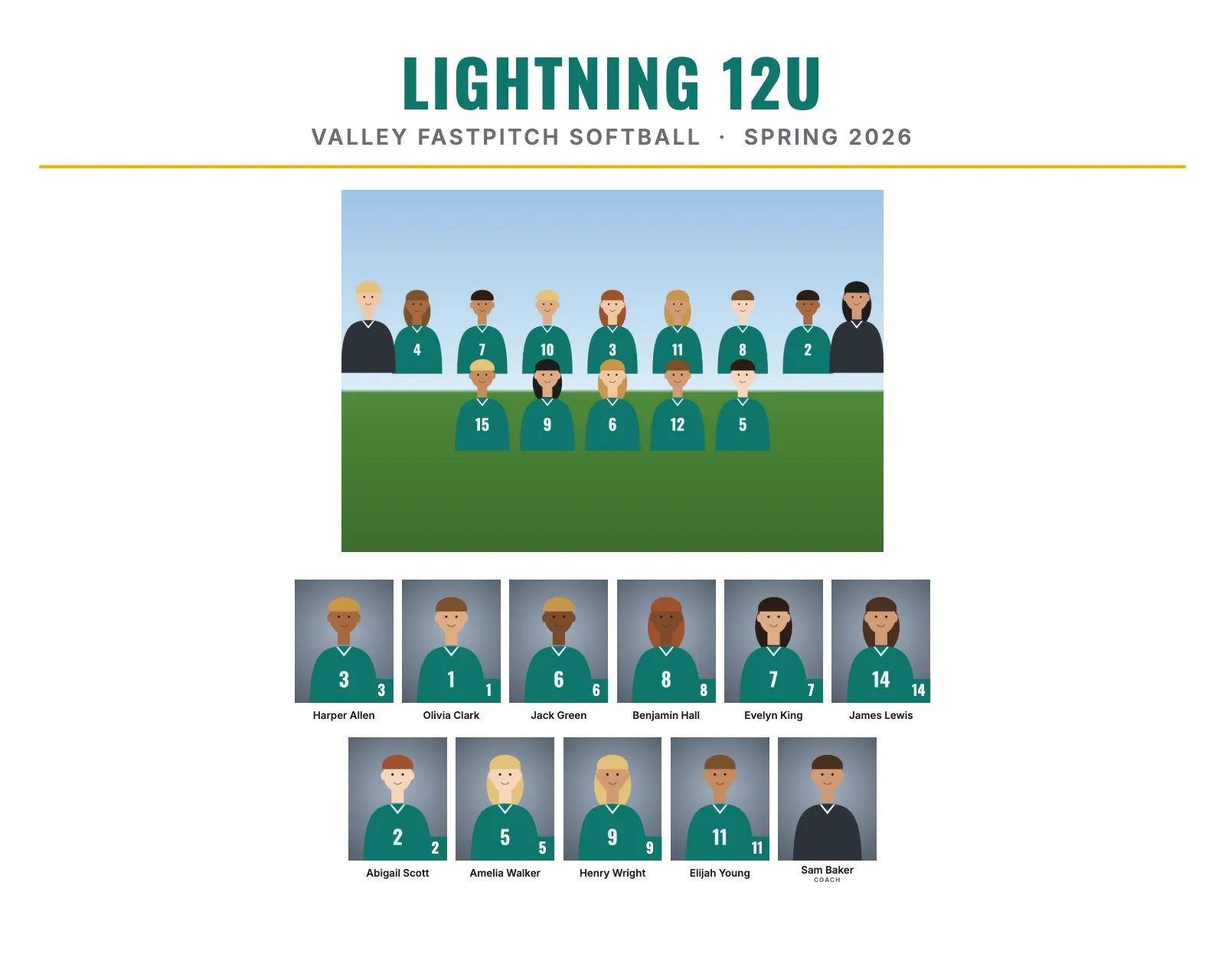
Youth fastpitch softball runs on two calendars: rec leagues in the spring, and travel teams that play tournaments well into the summer. Both buy composites and memory mates, and softball families are big on extras like photo buttons and trading cards. This guide covers the layout, picture day and products that matter for softball.
Softball roster sizes and the layout
Most softball rosters fall between 11 and 15 players. Travel teams often have three or four coaches, and every coach gets a headshot too.
| Level | Typical roster | Good size and layout |
|---|---|---|
| 8U to 10U rec | 10 to 12 | 10 × 8": 12 to 13 people in 2 rows, headshots about 0.8" to 0.9" wide |
| 12U to 14U travel | 11 to 14 | 10 × 8": up to about 17 people in 2 rows, about 0.9" wide, or 8 × 10" in 3 rows, about 1" wide |
| High school | 14 to 20 | 14 × 11": 17 to 22 people in 2 rows, about 1.1" to 1.25" wide |
Best composite size and rows for softball
10 × 8" landscape with Rows on Automatic covers almost every youth team. With 10 people or fewer, Automatic puts everyone in one long row on a landscape print. That works, but setting Rows of headshots to 2 gives a fuller, more balanced print. High school teams with large coaching staffs look better on 14 × 11".
Jersey numbers or positions?
Numbers. Players switch positions between games, but the number stays. Numbers like 0 and 00 are read from file names exactly as written, so Mia_Lopez_00.jpg prints as #00. Sorting by jersey number puts 0 and 00 first.
For younger players, some leagues prefer first names and last initials on prints. Set Names to "Ava M." for that.
Picture day tips for softball
- Visors and caps: decide on or off for the whole team. With visors on, tilt the brim up a little and use fill flash so the eyes aren't in shadow.
- Bows and hair: team bows are part of the uniform for many softball teams. Ask players to wear them for the team photo and the headshots, and to keep ponytails behind the shoulders.
- No batting helmets in headshots. Face masks hide the face. A helmet under the arm is fine for a memory mate pose.
- Outdoor light: open shade or the sun behind the players with fill flash. Bright infield dirt reflects warm light up into faces, so shoot on grass when you can.
- Travel teams: schedule picture day before the first tournament, so cards and buttons are ready to trade and wear.
Memory mate, button and trading card ideas
- Photo buttons (2.25" or 3"): parents wear them in the stands all season. RosterFrame makes the file 3/16" bigger on every side so the picture wraps around the button edge. Check your button maker's or lab's template.
- Trading cards (2.5 × 3.5"): some travel players trade them with other teams at tournaments.
- Player card memory mate (8 × 10" or 5 × 7"): a portrait with the bat on the shoulder, a name banner and a number badge.
- Team poster (18 × 24"): for the coach, or to hang at the team's tournament tent.
How to make softball composites in RosterFrame
- One folder per team, named like
Lightning 12U, with the team photo asTeam.jpg. - Name headshots like
Harper_Allen_3.jpg, or keep camera names and add a roster CSV. Put "Coach" in coaches' file names. - Open RosterFrame and click "Choose team folders".
- On the Composite tab, pick a style and 10 × 8". Click "Match jersey colors" to pick up the team colors from the headshots.
- Enter the league or club name and the season, like Spring 2026. Choose the name format and order.
- On More products, choose Button and the size, then Trading card. Check a few players.
- Send the coach the name check sheet, then export composites, memory mates, buttons and cards for every team.
Every headshot gets the same crop, so faces line up across the grid. If one photo is off, open it from the roster and drag or zoom to fix just that one.
Recommended settings
| Style | Clean or Classic for rec, Bold for travel teams |
|---|---|
| Print size | 10 × 8", or 14 × 11" for high school |
| Rows of headshots | Automatic, or 2 for teams of 10 people or fewer |
| Names | Ava Martinez, or Ava M. for young players |
| Label for coaches and staff | Coach |
| Buttons | 2.25" or 3", with a 3/16" wrap on every side |
Composite guides for other sports
Teams without jersey numbers? See dance, cheer and swim team composites. All guides are on the guides page.
Try it with your own photos. Free during beta, no signup, runs in your browser. Your photos never leave your computer.
Open RosterFrame