A team composite template that fills itself in
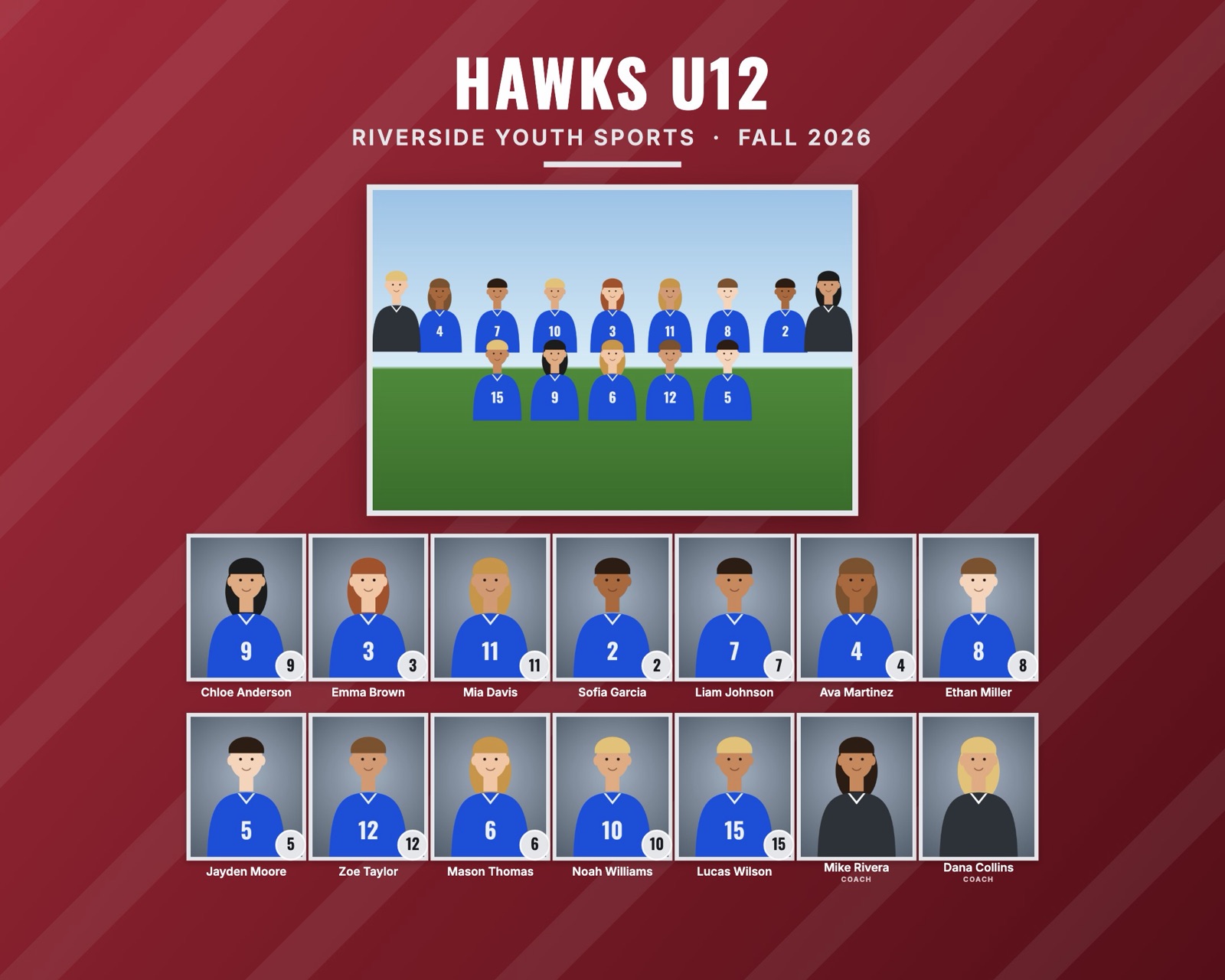
Most photographers start with a team composite template: a PSD or Canva file with a banner, a spot for the team photo and a grid of boxes for headshots. It works for one team. For a league of fifteen teams, you place every headshot by hand, type every name, and start over when the next team has a different number of players.
RosterFrame works the other way around. You design the composite once, then it builds the file for every team from your photo folders, with the right number of headshots, names and jersey numbers already in place.
Why PSD and Canva templates get slow
- The grid is fixed. A template made for 12 players looks empty with 9 and breaks with 16. You end up keeping a template per team size.
- Every name is typed by hand. With 200 players that's 200 text layers to fill in and proofread.
- Every headshot is placed and cropped by hand. Clipping masks help, but each photo still needs dragging, scaling and centering.
- One file per team. Change the league logo or the season and you edit every file again.
How the automatic template works
- Drop in the league folder. Each sub-folder becomes a team. A photo with "team" or "group" in its file name becomes the team photo.
- Names come from file names or a roster CSV.
Ava_Martinez_4.jpgbecomes Ava Martinez, number 4. See how to name your photos. - Pick a style and colors once. Classic, Bold or Clean, with your team colors, league name, season and logo. The grid adapts to the number of players on each team automatically.
- Export every team. One click renders a 300 dpi sRGB JPEG for each team, sorted into folders for your lab.
Three composite styles
| Style | Looks like | Good for |
|---|---|---|
| Classic | Colored banner, team photo on top, neat rows of headshots with name plates | Youth leagues, rec sports, schools |
| Bold | Dark background, strong team colors, large numbers | Travel teams, high school sports |
| Clean | Light background, thin lines, lots of white space | Dance, cheer, clubs, school groups |
Template sizes
| Size | Pixels at 300 dpi |
|---|---|
| 10 × 8" landscape | 3000 × 2400 |
| 8 × 10" portrait | 2400 × 3000 |
| 14 × 11" landscape | 4200 × 3300 |
| 11 × 14" portrait | 3300 × 4200 |
| 7 × 5" landscape | 2100 × 1500 |
| 5 × 7" portrait | 1500 × 2100 |
For all common print sizes and how much they crop, see the sports photo print size chart.
Can I use my own PSD template?
No. RosterFrame doesn't open PSD files. It uses its own three layouts, which you customize with colors, a logo, the league name and the season. If your studio needs one exact branded layout, a PSD template plus Photoshop actions is still the way to go. If you need clean composites for many teams fast, the automatic template saves the evening.
Try it with your own photos. Free during beta, no signup, runs in your browser. Your photos never leave your computer.
Open RosterFrame