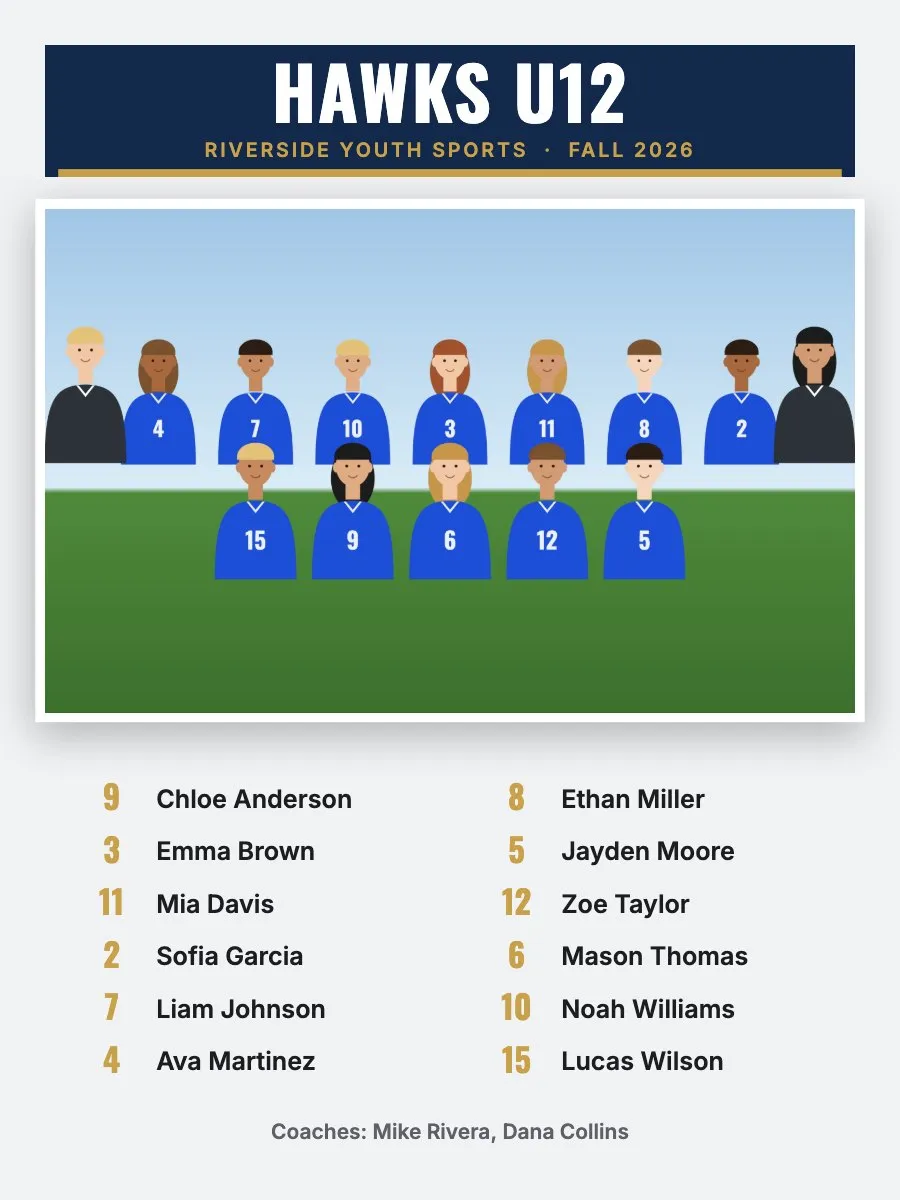
What size is a team poster?
RosterFrame posters are 18 × 24" portrait, a common poster size at photo labs. The file is rendered at 150 dpi (2700 × 3600 pixels) instead of the 300 dpi used for 8 × 10 and smaller prints. Posters are looked at from further away, and 150 dpi keeps the file small enough for every browser to build. If your lab asks for something else, check its poster specs before ordering.
| Size | 18 × 24" portrait, one per team |
|---|---|
| Resolution | 150 dpi: 2700 × 3600 pixels |
| Bleed | None. The file is the exact print size. |
| Format | JPEG (quality 93), sRGB, 150 dpi set in the file |
| File names | Hawks U12 - Poster.jpg, in the team's folder |
What's on the poster?
- The team name in a header with league or club name and season, and your logo if you add one.
- The team photo, framed, across the full width.
- Every player with their jersey number, in one column for up to 8 players, two columns up to 24 and three above that.
- The coaches on one line at the bottom, labeled Coaches, Managers or Staff.
The poster follows the composite style you picked (Classic, Bold or Clean), the team colors and the optional background picture. See them side by side in the examples.
How do I make posters for every team?
- Put each team's headshots and team photo (
Team.jpg) in a folder per team and drop the folders into RosterFrame. - Open More products and pick Team poster to check one.
- Export with Team posters ticked. Every selected team gets one poster.
Poster or team composite?
A team composite shows every player's headshot with their name; it's the classic 8 × 10 or 11 × 14 print for each family. The poster is bigger and simpler: the team photo plus a printed roster, made for the clubhouse wall, the coach or a sponsor. Many photographers sell the poster as a team or coach add-on; see how to price composites and add-ons.
How this guide was made: written by Jakob, who builds RosterFrame. Print sizes and pixel counts were checked against the app's export settings; the example images were rendered in RosterFrame from sample photos. First published .
Try it with your own photos. Free during beta, no signup, runs in your browser. Your photos never leave your computer.
Open RosterFrameRelated guides
All guides on this topic: Composites.