Free memory mate template for a whole team
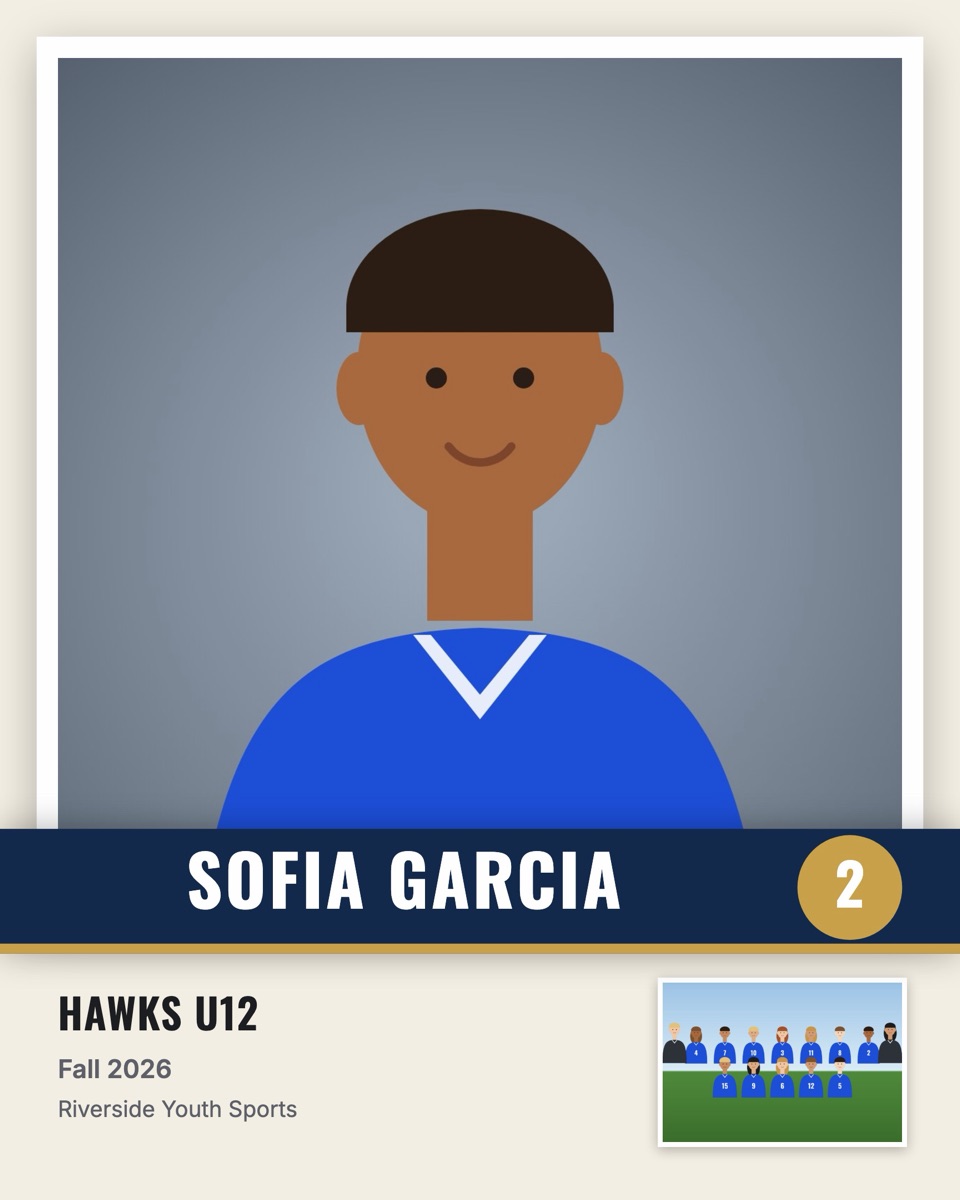
A memory mate puts a player's portrait next to the team photo, with their name, number, team and season. A classic memory mate template is a PSD or Canva file with two photo boxes and a few text layers. That's fine for one kid. For a team of 14 it means 14 files, and for a league it means an evening of copy, paste and typing names.
RosterFrame turns the template into a one-time design. Set the layout and colors once, and it creates a memory mate for every player on every team, with their own portrait, name and number filled in.
Two memory mate layouts
- Side by side (10 × 8" or 7 × 5"). The classic layout: a large portrait on the left, the team photo on the right, name and number underneath.
- Player card (8 × 10" or 5 × 7"). A trading-card look: big portrait, name banner, jersey number badge and the team photo as an inset.
Memory mate sizes and pixels
| Size | Layout | Pixels at 300 dpi |
|---|---|---|
| 10 × 8" | Side by side | 3000 × 2400 |
| 7 × 5" | Side by side | 2100 × 1500 |
| 8 × 10" | Player card | 2400 × 3000 |
| 5 × 7" | Player card | 1500 × 2100 |
From template to a whole league
- Put each team's headshots in their own folder, with the team photo named something like
Team.jpg. - Drop the folders into RosterFrame. Names and numbers are read from the file names or from a roster CSV.
- Choose the layout, size, colors, logo, league name and season.
- Check a few players in the preview, fix a crop or a name if needed.
- Export. You get one file per player, named like
Martinez_Ava_4 - Memory Mate.jpg, in a folder per team.
Template vs. automatic
| PSD / Canva template | RosterFrame | |
|---|---|---|
| Files to edit for 14 players | 14 | 1 design |
| Names and numbers | Typed by hand | From file names or CSV |
| Team photo per player | Placed by hand | Added automatically |
| Exact custom branding | Yes | Colors, logo and text only |
| Software needed | Photoshop or Canva | A web browser |
Want the full workflow, including print tips? Read memory mates: sizes, layouts and a faster workflow.
Try it with your own photos. Free during beta, no signup, runs in your browser. Your photos never leave your computer.
Open RosterFrame